
Your agent built the app. Now put it online.
Build, Deploy, and Ship with BoxLite Cloud


Tags: ai-agents, microvm, managed-runtime
Cover description: Build and deploy apps with one prompt to your coding agent.Let BoxLite Cloud handle the infrastructure. Start with $100 in free credits.
You’ve been building with your coding agent. The app works on localhost. You want a friend to try it, but there’s no link you can send.
So you switch from building features to figuring out hosting: where to run the app, how to start it, and how to make it reachable.
BoxLite Cloud gives your coding agent a managed environment to build and deploy apps, with a public URL you can share. Your agent handles the application setup and deployment; BoxLite manages the underlying infrastructure.
New accounts get $100 in free credits, added automatically. Use them to run your first app and keep improving it. See pricing for usage rates.
Get your first app online
You can try the suggested app in Quickstart or adapt the prompt to an idea of your own. Both use the same workflow: ask your coding agent to build the app, deploy it to BoxLite Cloud, and return a public URL.
1. Copy the prompt into your coding agent
Sign up, open Quickstart, and copy the starter prompt into your coding agent.
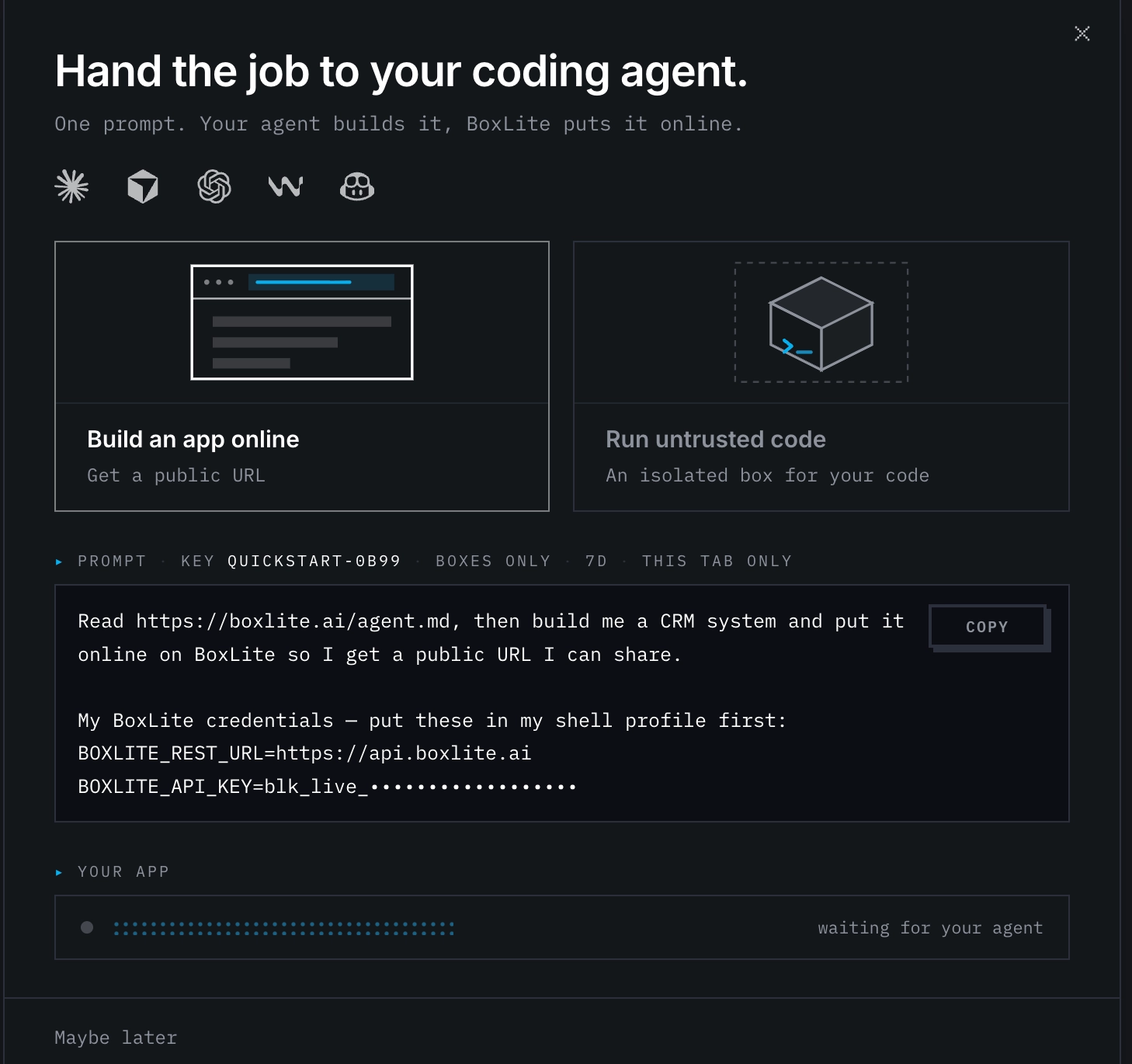
Use it as written to try the suggested app, or change the app description before sending it. Describe what you want to build, who it’s for, and the main thing it should do. You could turn the starter into a task board for your team, a small CRM, or a game with your own rules and design.
Keep the BoxLite instructions and credentials in place so your agent can deploy the app. For your first attempt, focus on one or two features you can test yourself. Then send the prompt and let your agent start building.
Quickstart creates your API key automatically. The preview hides it, but the copied prompt includes the full key—there’s nothing to fill in manually.
Keep your agent open and respond if it asks for permission or needs more information.
2. Open the URL and try the app
Quickstart updates automatically when your app is online. Click Open app, then test its main feature. For a CRM, that might mean creating a contact and checking that it appears in the list.
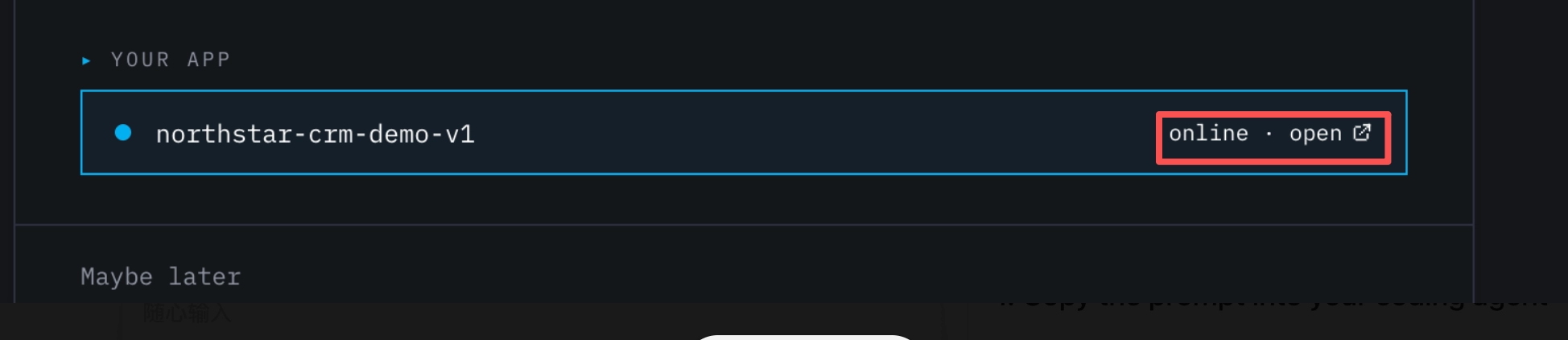
A successful first deployment means the app is running on BoxLite Cloud, its public URL opens, and its main feature works. If something fails, give the error to your coding agent and ask it to fix it.
You built it. Let’s give it a try.
That game you keep tweaking, a tool your team needed, or your very first app—we’d love to see what you’ve put online. It doesn’t have to be polished; it just needs to work.
Share your app’s public URL on X and tag @BoxliteAI, or drop the link in #Show-Your-Agent on our Discord. We’d love to give it a try.
Found a bug along the way? Report it in #bugs on Discord with a few steps to reproduce it.
Once we’ve verified your working app on BoxLite Cloud or validated your bug report, we’ll follow up and add another $100 in credits to your account so you can keep building. No form needed—we’ll take it from there.
You can also explore the project on GitHub and join the conversation in GitHub Discussions.
Build something today
Don’t leave your first app on the “someday” list. Your $100 in free credits is ready when you sign up—put it to work today. Try the starter or describe your own idea, send the prompt, and get your first version online. You can keep improving it once someone has tried it.